Dock scheduling, made simple.
Suppliers book their own delivery times from one link. Your receiving team runs the whole dock from one live board.
Works in any browser, on desktop and phone. Suppliers don't need an account.
- Distribution centers
- Cold storage
- Food and beverage
- Retail warehouses
- Manufacturers
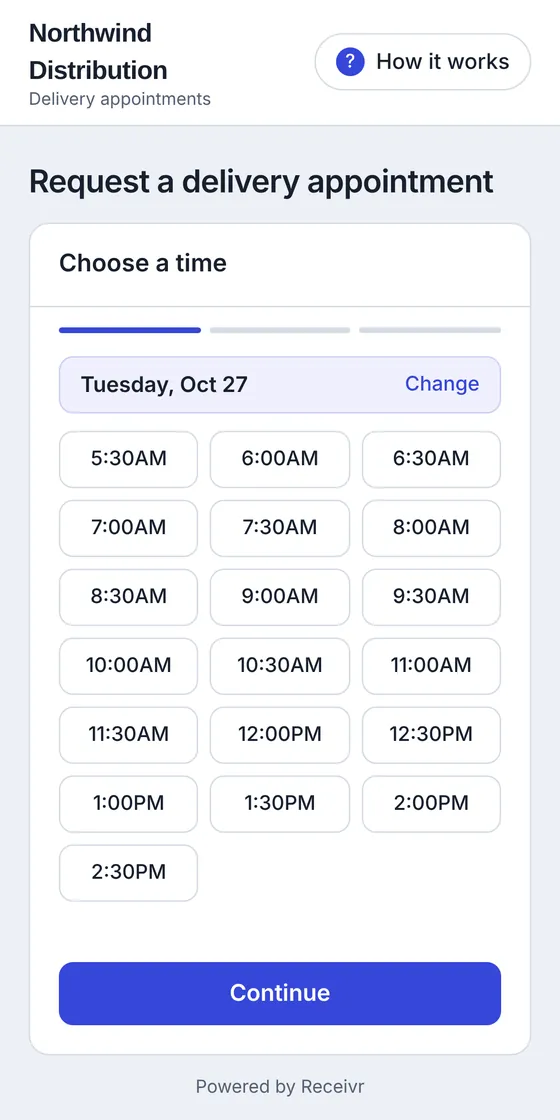
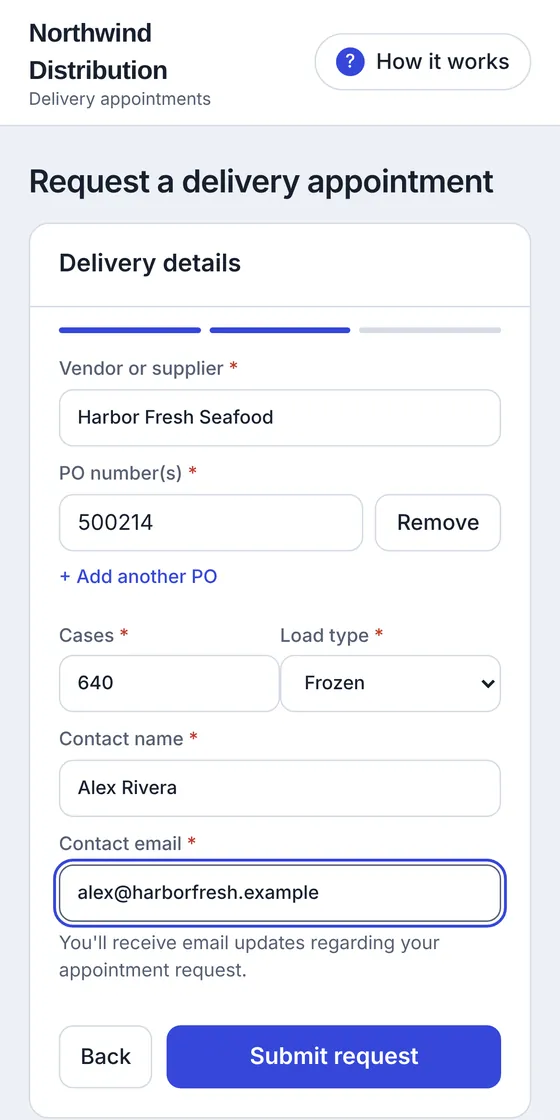
Suppliers book from a link, not a phone call.
Share one request page with every vendor and carrier. They see only the times you have open, and you decide what gets approved.
- Only real openingsReceiving hours, closed days, and slot limits are built in, so nobody books a time you can't take.
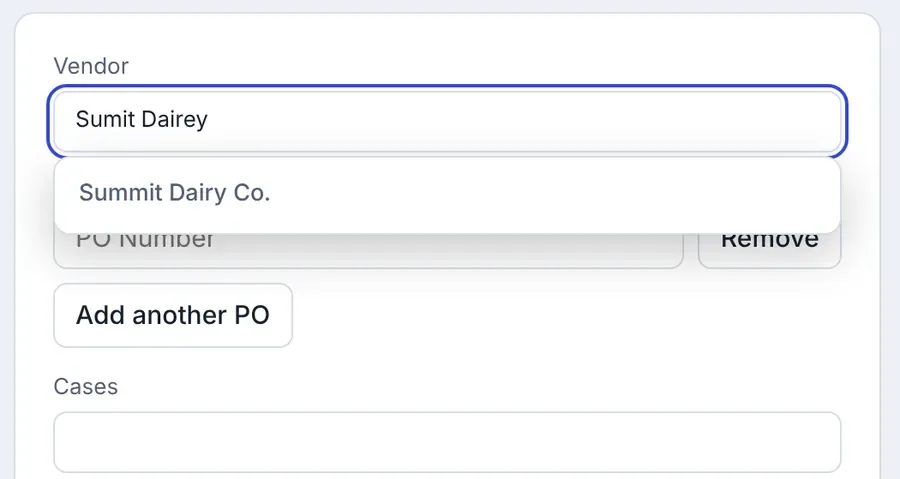
- Vendor names stay clean"Sumit Dairey" is matched to "Summit Dairy Co." from your vendor list.
- You stay in controlApprove, deny, or propose a different time. The supplier is emailed each step.
- Built-in helpA "How it works" walkthrough answers first-time questions before they reach your phone.
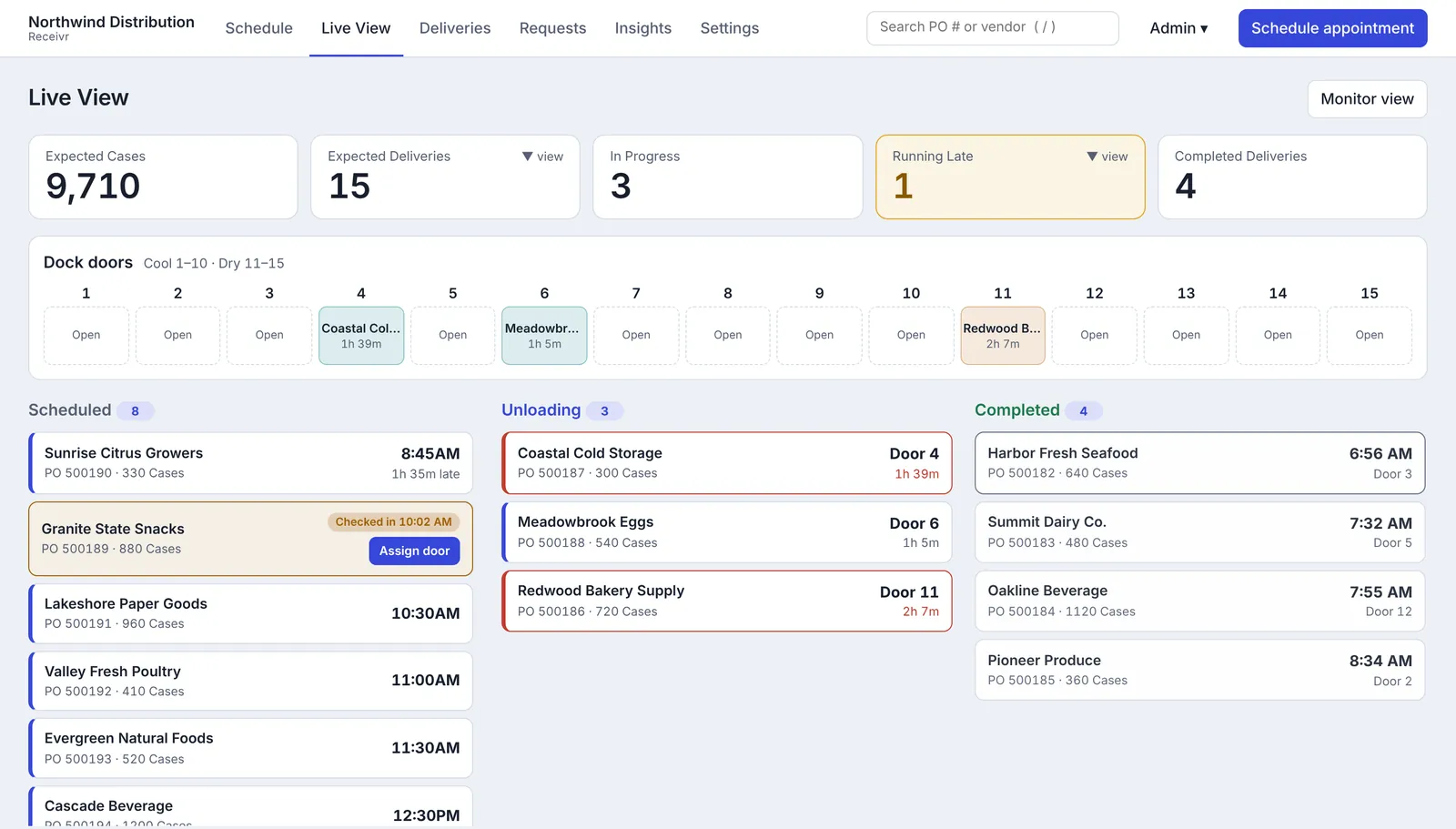
Run the dock from one live board.
When a truck checks in, it shows up. When it's unloading, you see the door and the clock. When it's an hour late, it tells you.
- Running late, flagged for youAnything an hour past its appointment gets its own box. Check it in, or mark it a no-show, right there.
- The right door, suggestedCool and dry loads are matched to the right doors.
- Every status, one tapCheck in, start unloading, complete. Undo any step, and see who changed what.
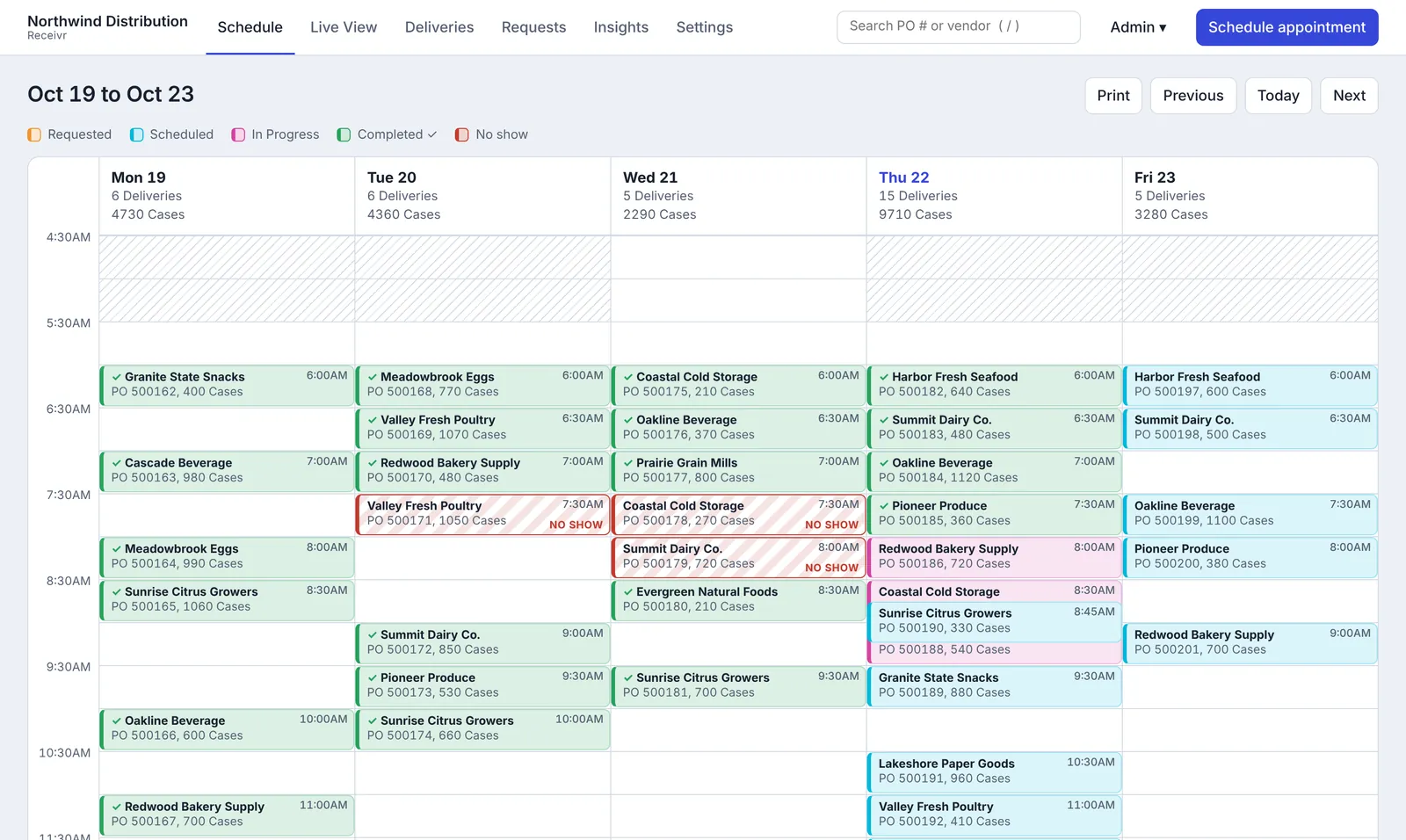
See the whole week at a glance.
Completed loads, no-shows, and standing appointments each look different, so you can read the day in seconds.
Everything a receiving team actually uses.
Standing appointments
Weekly deliveries are pre-booked on the schedule. When the truck is coming, add the PO numbers and confirm it. If they skip a week, mark it and the slot opens back up.
Duplicate PO warnings
Enter a PO that is already booked and you're told right away, before it becomes a double booking.
A vendor list that cleans itself up
Upload your vendors once. Typos and variations are matched as people type, and one click fixes the records you already have.
Late and no-show tracking
Running late is flagged an hour after the appointment. Mark a no-show, optionally email the carrier, and undo it if the truck turns up.
The right access for each person
Admins, managers, receivers, and view-only users each see what they need.
Your name, your emails
Add your company name and logo. Confirmation, change, and missed-appointment emails go out under your brand.
Know which vendors run late.
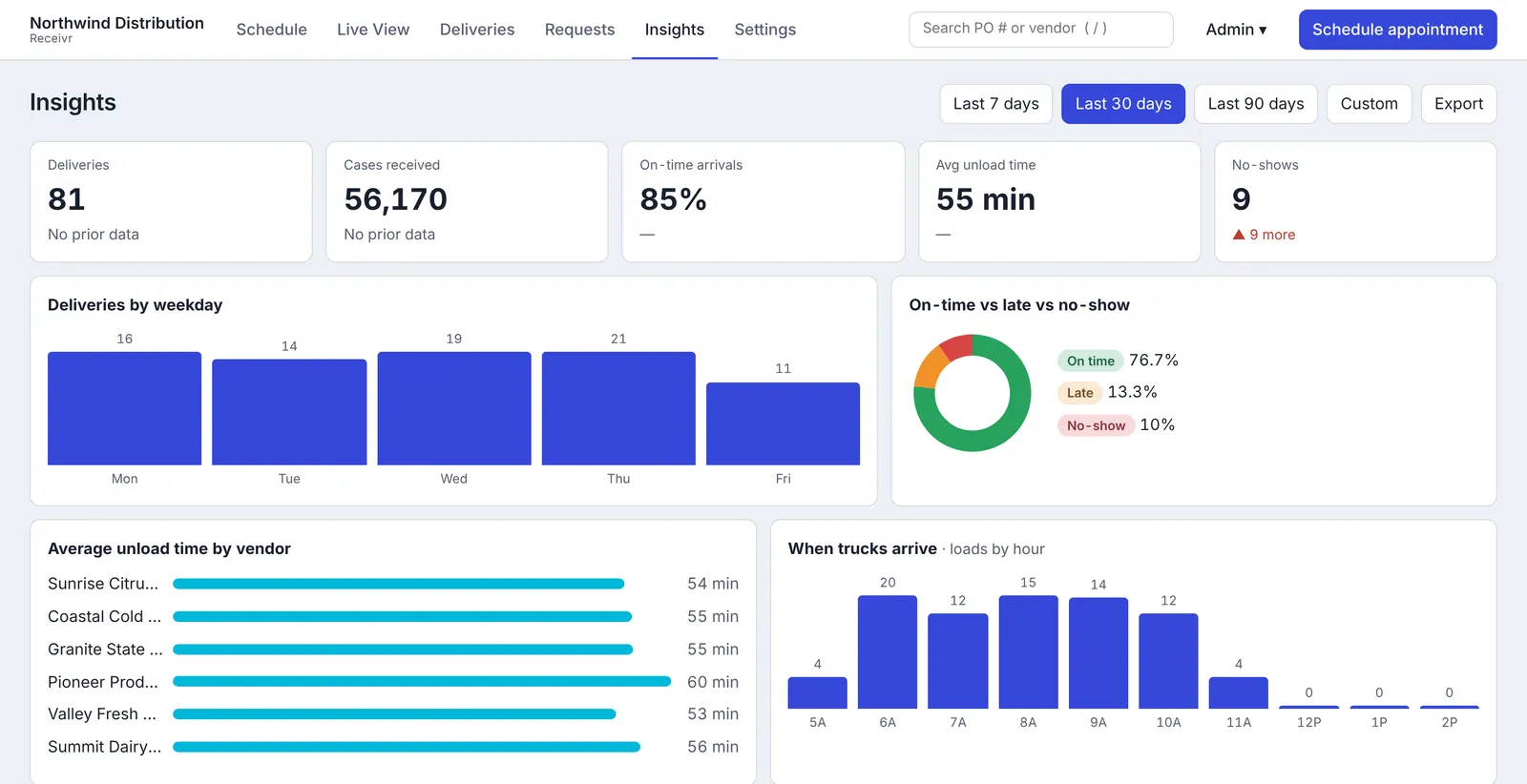
Every delivery adds to your numbers, so you can talk to a vendor with facts instead of hunches.
- On-time arrivals and no-showsSee the split for the last 7, 30, or 90 days, or a range you choose.
- Average unload timeFind the vendors whose trucks take the longest at the door.
- A scorecard for every vendorDeliveries, on-time rate, and trend, ready to export.
Get started in three steps.
Set up your dock
Enter your receiving hours, closed days, doors, and how many trucks fit in each time slot.
Send suppliers your link
Email one request link, and add your vendor list so names match from day one.
Approve, check in, unload
Requests arrive in one place. On the day, your team works from the live board.
Questions, answered.
Do my suppliers need an account?
No. They use your request link, pick a time, and fill in their delivery details. They get emails and a status page, but never have to sign in.
Can I approve requests before they are booked?
Yes. Each request shows up for review. You can approve it, deny it with a reason, or propose another time, and the supplier is notified each time.
What if a supplier skips a standing appointment?
Mark it as not coming that day and the time opens up again. If they show up, enter the POs and confirm it.
Does it work on a phone or tablet?
Yes. Receivr runs in the browser on any device. On phones, the schedule becomes a day list that's easy to use from the dock.
Who can see and change what?
Admins manage everything, including users, exports, backups, and imports. Managers handle the schedule and settings. Receivers work every appointment. View-only users can look but not change anything.
How long do you keep delivery records?
Delivery records are kept for one year. After a year, driver names, phone numbers, and vendor contact details are removed automatically. Read the privacy policy for the details.
What does it cost?
Request a demo and we'll talk through your dock and share pricing.
See Receivr on your dock.
Tell us a little about your receiving operation and we'll set up a walkthrough.